![CT-Symbol-FBE49C-1.png]](https://kb.campbelltravel.com/hs-fs/hubfs/CT-Symbol-FBE49C-1.png?height=50&name=CT-Symbol-FBE49C-1.png)
Step 1.
Navigate to your booking site. Your booking site can be provided to you by your administrator, or contact supportcrew@campbelltravel.com to receive your specific booking URL.
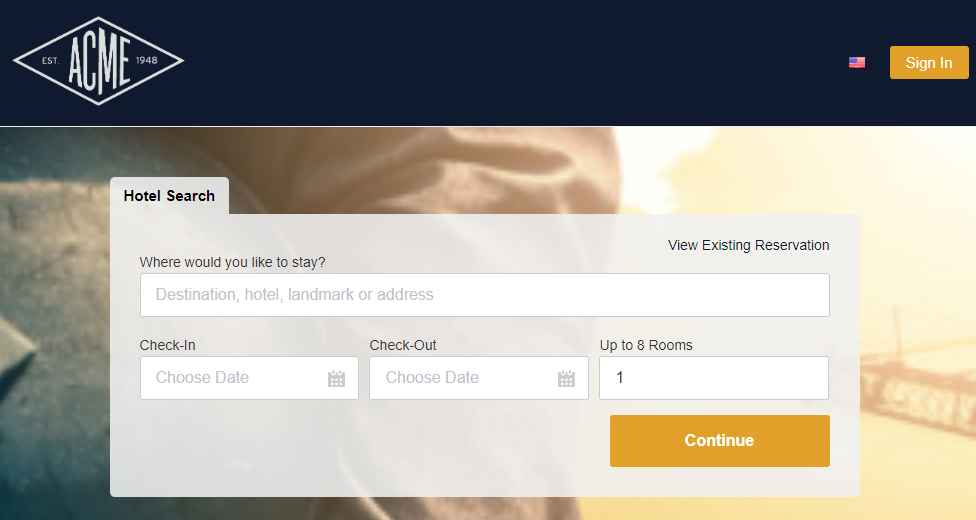
Your booking site should look similar to this site below - however the tool will be branded to be company specific.
Step 2.
You may need to sign in to begin your first booking. Please contact your administrator or supportcrew@campbelltravel.com to receive your login information.
Step 3.
Once you have logged in, you can begin booking!
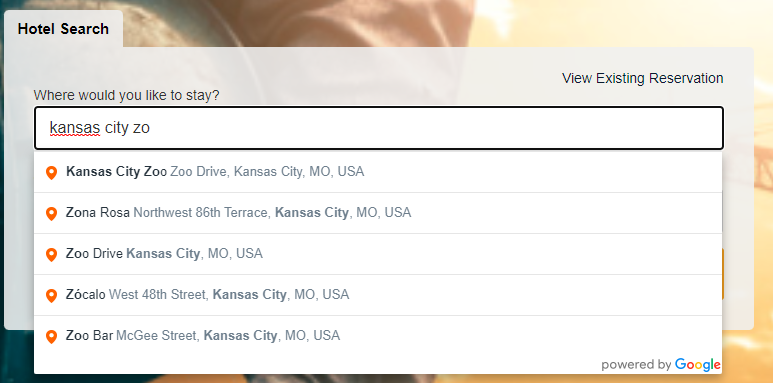
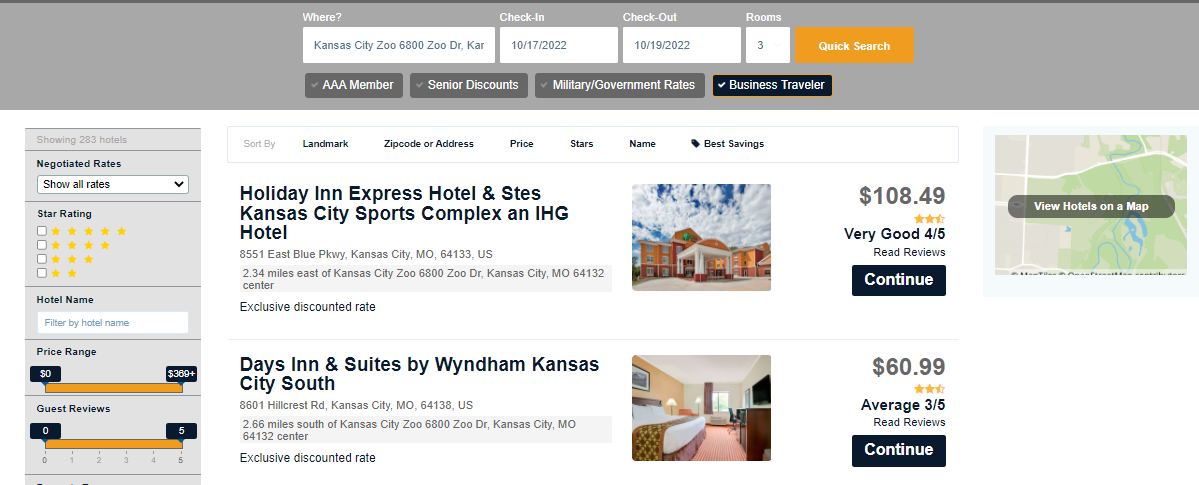
Where would you like to stay? Search this section by specific address, landmarks, or general city or locations.
Step 4.
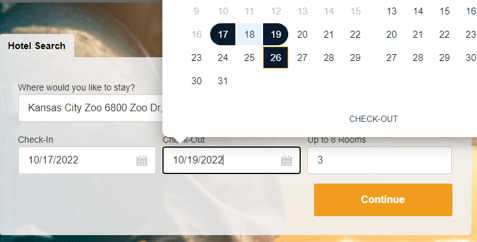
Enter the dates and number of rooms needed. You can add up to 8 rooms
Step 5.
Once you click continue - you will be directed to the hotel booking page
Step 6.
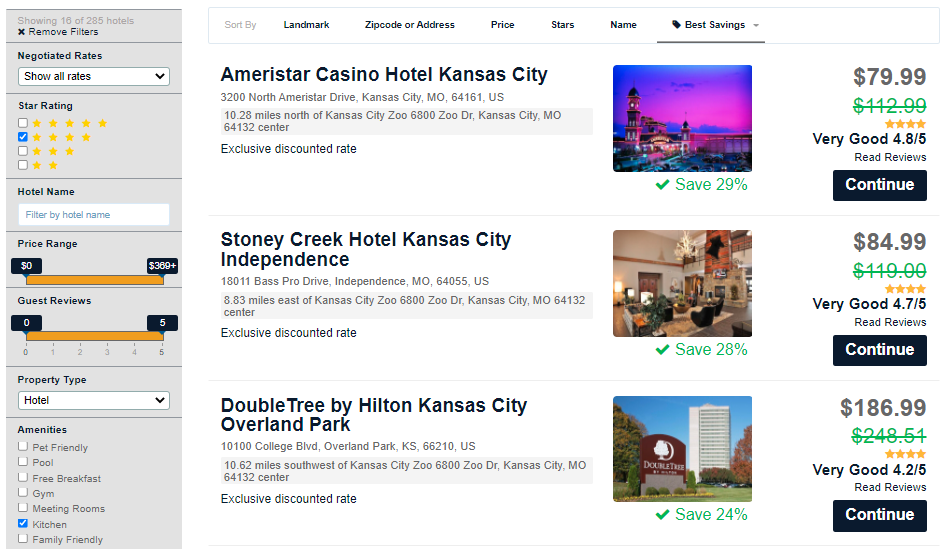
From here you will have many options to sort and filter to find exactly what you are looking for.
Company specific rates, discounts and savings rates will be automatically loaded for you to take advantage of.
- Sort by things like best savings, price, stars, name etc.
- You can also filter on the left hand side by client ratings, amenities, price, type, etc.
- Once you find the property you are interested in - click continue
Step 7.
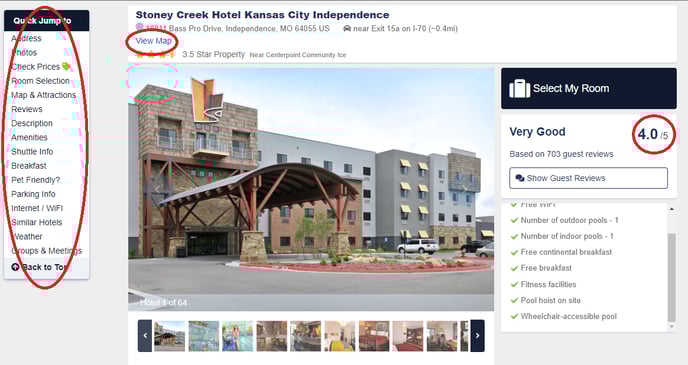
Once you select a hotel you will first be shown pictures and ratings and address.
You can quick jump to the section that you want to navigate to.
Utilizing the map link - (right under the address) will help you review truck parking and sufficient ingress and egress to accommodate your trucks.
Step 8.
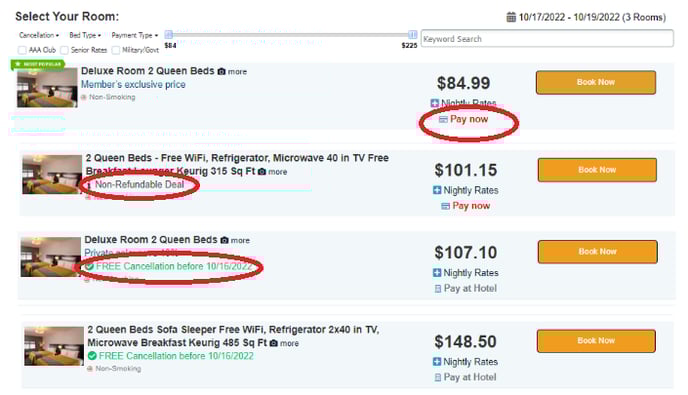
Select the room rate that best suits your needs.
Caution: Pay attention to the rate tips - some rooms are non-refundable, some rooms are pay now rates, etc.
Make sure you are selecting a room that makes the most sense for you. Non-refundable rates are just that - non-refundable
Step 9.
Once you have selected your room type you will be directed to the payment and data collection page.
Note: You may have different fields to fill out according to your company's requirements.
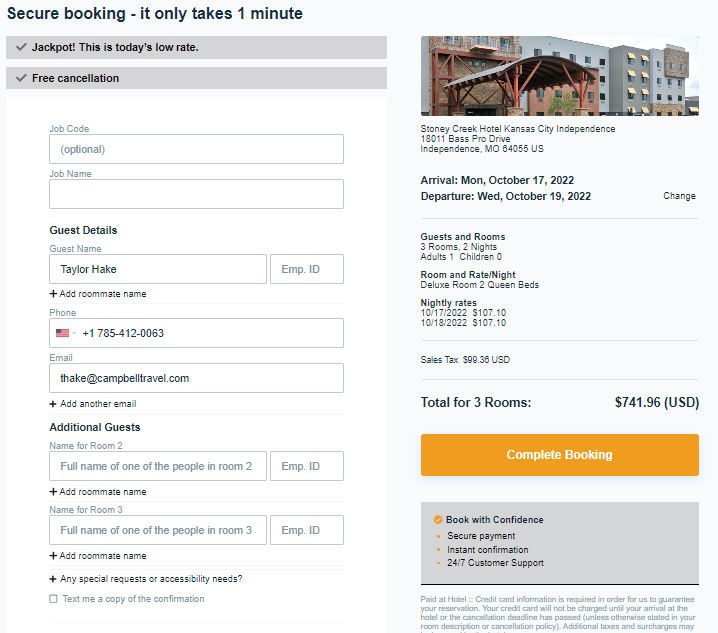
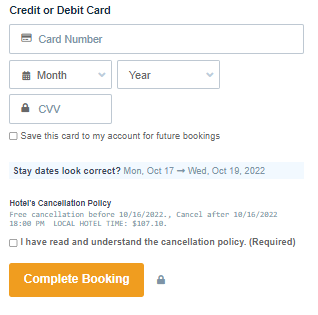
Toward the bottom of the page you may be directed to select from a dropdown of available cards or add your credit card information depending on how your organization is set up in the booking tool. For any questions regarding the payment information, please contact supportcrew@campbelltravel.com for assistance.
Step 10.
Once all your information has been entered correctly, your booking is complete! You should receive an email very shortly from Campbell Lodging confirming all of your information.